ofGraphics (functions)
ofBackground( ... )
void ofBackground(const ofColor &c)ofBackground( ... )
void ofBackground(int brightness, int alpha=255)ofBackground( ... )
void ofBackground(int r, int g, int b, int a=255)Sets the background color.
It takes as input r,g,b (0-255). The background is cleared automatically, just before the draw() command, so if the background color is not changing, you could call this inside of setup() (once, at the start of the application). If the background color is changing, you can call this inside of update().
void ofApp::setup(){
    ofBackground(255,0,0);  // Sets the background color to red
}
ofBackgroundGradient( ... )
void ofBackgroundGradient(const ofColor &start, const ofColor &end, ofGradientMode mode=OF_GRADIENT_CIRCULAR)Sets the background color to a gradient.
It takes as input 2 ofColor() objects and a Gradient Mode. Must be called in the draw() function.
Accepted modes are:
- Circular:
OF_GRADIENT_CIRCULAR - Linear:
OF_GRADIENT_LINEAR - Bar:
OF_GRADIENT_BAR
Background Gradient: Circular:
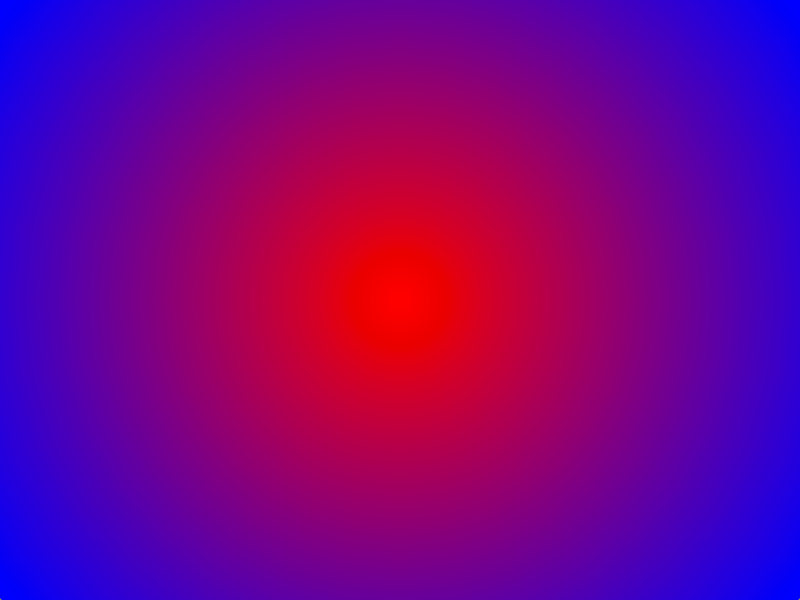
void ofApp::draw(){

    ofColor colorOne(255, 0, 0);
    ofColor colorTwo(0, 0, 0);

    ofBackgroundGradient(colorOne, colorTwo, OF_GRADIENT_CIRCULAR);
    // Sets the background to a circular gradient
}
Background Gradient: Linear:

void ofApp::draw(){

    ofColor colorOne(255, 0, 0);
    ofColor colorTwo(0, 0, 0);

    ofBackgroundGradient(colorOne, colorTwo, OF_GRADIENT_LINEAR);
      // Sets the background to a linear gradient
}
Background Gradient: Bar:

void ofApp::draw(){

    ofColor colorOne(255, 0, 0);
    ofColor colorTwo(0, 0, 0);

    ofBackgroundGradient(colorOne, colorTwo, OF_GRADIENT_BAR);
      // Sets the background to a bar gradient
}
ofBackgroundHex( ... )
void ofBackgroundHex(int hexColor, int alpha=255)Sets the background color using a hex color value.
void ofApp::setup(){
    ofBackgroundHex(0xff0000);  // Sets the background color to red
}
Sets the background color using a hex color value.
void ofApp::setup(){
    ofBackgroundHex(0xff0000);  // Sets the background color to red
}
ofBeginSaveScreenAsPDF( ... )
void ofBeginSaveScreenAsPDF(string filename, bool bMultipage=false, bool b3D=false, ofRectangle outputsize)Begin rendering to a PDF file.
openFrameworks allows rendering of 2D graphics to pdf via the ofCairoRenderer. ofBeginSaveScreenAsPDF() is called before drawing. When done drawing call ofEndSaveScreenAsPDF() to output the file.
void ofApp::setup(){
    ofBeginSaveScreenAsPDF("screenshot.pdf", false);
    ofSetColor(54,54,54);
    ofDrawEllipse(100,100,200,200);
    ofEndSaveScreenAsPDF();
}
See also: End drawing with ofEndSaveScreenAsPDF()
Begins render to pdf. OpenFrameworks allows rendering of 2D graphics to pdf via the ofCairoRenderer. ofBeginSaveScreenAsPDF is called before drawing. When done drawing call ofEndSaveScreenAsPDF() to output the file.
void ofApp::setup(){
    if( oneShot ){
        ofBeginSaveScreenAsPDF("screenshot-"+ofGetTimestampString()+".pdf", false);
    }

    ofSetColor(54,54,54);
    ofDrawEllipse(100,100,200,200);
    if( oneShot ){
        ofEndSaveScreenAsPDF();
        oneShot = false;
    }
}
ofBeginSaveScreenAsSVG( ... )
void ofBeginSaveScreenAsSVG(string filename, bool bMultipage=false, bool b3D=false, ofRectangle outputsize)Begin rendering to a SVG file.
See also: ofEndSaveScreenAsSVG(), ofBeginSaveScreenAsPDF()
ofBeginShape( )
void ofBeginShape()Start drawing a new shape. Needs to be followed by a list of vertex points and lastly a call to ofEndShape().
//draws a star
ofSetPolyMode(OF_POLY_WINDING_NONZERO);
ofBeginShape();
  ofVertex(400,135);
  ofVertex(215,135);
  ofVertex(365,25);
  ofVertex(305,200);
  ofVertex(250,25);
ofEndShape();
See also: ofEndShape()
Call this to start drawing a new shape. Needs to be followed by a list of vertex points and lastly a call to ofEndShape().
//draws a star
ofSetPolyMode(OF_POLY_WINDING_NONZERO);
ofBeginShape();
  ofVertex(400,135);
  ofVertex(215,135);
  ofVertex(365,25);
  ofVertex(305,200);
  ofVertex(250,25);
ofEndShape();
ofBezierVertex( ... )
void ofBezierVertex(const glm::vec3 &p1, const glm::vec3 &p2, const glm::vec3 &p3)ofBezierVertex( ... )
void ofBezierVertex(const glm::vec2 &p1, const glm::vec2 &p2, const glm::vec2 &p3)ofBezierVertex( ... )
void ofBezierVertex(float x1, float y1, float z1, float x2, float y2, float z2, float x3, float y3, float z3)ofBezierVertex( ... )
void ofBezierVertex(float x1, float y1, float x2, float y2, float x3, float y3)Describes a bezier curve through three points of a shape. To be called between ofBeginShape() and ofEndShape().
Describes a bezier curve through three points of a shape. To be called between ofBeginShape() and ofEndShape().
ofClear( ... )
void ofClear(const ofColor &c)Clears the color and depth bits of current renderer and replaces it with an ofColor.
void ofApp::draw(){
    ofColor myColor(0, 0, 255);
    ofClear(myColor);
    // Clears current screen and replaces it with myColor.
}
Clears the color and depth bits of current renderer and replaces it with an ofColor.
void ofApp::draw(){
    ofColor myColor;
    myColor.set ( 0, 0, 255 );
    ofClear ( myColor );
    // Clears current screen and replaces it with myColor.
}
ofClear( ... )
void ofClear(float brightness, float a)Clears the color and depth bits of current renderer and replaces it with a grayscale value.
void ofApp::draw(){
    ofClear(128);
    // Clears current screen and replaces it with a grayscale value.
}
Clears the color and depth bits of current renderer and replaces it with a grayscale value.
void ofApp::draw(){
    ofColor myColor;
    myColor.set ( 128 );
    ofClear ( myColor );
    // Clears current screen and replaces it with a grayscale value.
}
ofClear( ... )
void ofClear(float r, float g, float b, float a)Clears the color and depth bits of current renderer and replaces it with an RGB color.
When drawing to the screen, ofClear() will clear the screen entirely.
void ofApp::draw() {
    ofClear(255, 0, 0);
    // Clears current screen and replaces it with red.
    // Screen will render as a flat color.
}
When using the openGL renderer and drawing into an FBO, ofClear() will clear that buffer rather than the main screen.
void ofApp::draw() {
    ofFbo myFbo;
    myFbo.allocate(300, 300);

    myFbo.begin();
        ofClear(255, 0, 0);
        // Clears FBO buffer and replaces it with red.
        // No effect in current drawing screen.
    myFbo.end();
}
ofClear() is based on glClear.
Clears the color and depth bits of current renderer and replaces it with an RGB color.
When drawing to the screen, ofClear(…) will clear the screen entirely.
void ofApp::draw() {
    ofClear ( 255, 0, 0 );
    // Clears current screen and replaces it with red.
    // Screen will render as a flat color.
}
When using the opengl renderer and drawing into an FBO, ofClear(...) will clear that buffer rather than the main screen.
void ofApp::draw() {
    ofFbo myFbo;
    myFbo.allocate ( 300, 300 );

    myFbo.begin();
        ofClear ( 255, 0, 0 );
        // Clears FBO buffer and replaces it with red.
        // No effect in current drawing screen.
    myFbo.end();
}
ofClear(…) is based on glClear (http://www.opengl.org/sdk/docs/man/xhtml/glClear.xml).
ofClearAlpha( )
void ofClearAlpha()ofCurveVertex( ... )
void ofCurveVertex(const glm::vec3 &p)ofCurveVertex( ... )
void ofCurveVertex(const glm::vec2 &p)ofCurveVertex( ... )
void ofCurveVertex(float x, float y, float z)ofCurveVertex( ... )
void ofCurveVertex(float x, float y)Specifies a single point of a shape. The difference from ofVertex is that the line describing the edge of the shape between two points will be a curve as opposed to a straight line. The curve is automatically generated using the catmull from formula.
This function has to be called between ofBeginShape() and ofEndShape().
Specifies a single point of a shape. The difference from ofVertex is that the line describing the edge of the shape between two points will be a curve as opposed to a straight line. The curve is automatically generated using the catmull from formula. To be called between ofBeginShape() and ofEndShape().
ofDisableAlphaBlending( )
void ofDisableAlphaBlending()Turn off alpha blending.
void ofApp::draw(){
    ofEnableAlphaBlending();    // turn on alpha blending
    ofSetColor(255,0,0,127);    // red, 50% transparent
    ofDrawRectangle(20,20,100,100);      // draws the rect with alpha
    ofDisableAlphaBlending();   // turn off alpha
    ofDrawRectangle(120,20,100,100); // draws the rect without alpha
}
See also: ofEnableAlphaBlending()
Turns off alpha blending.
void ofApp::draw(){
    ofEnableAlphaBlending();    // turn on alpha blending
    ofSetColor(255,0,0,127);    // red, 50% transparent
    ofDrawRectangle(20,20,100,100);      // draws the rect with alpha
    ofDisableAlphaBlending();   // turn off alpha
    ofDrawRectangle(120,20,100,100); // draws the rect without alpha
}
ofDisableAntiAliasing( )
void ofDisableAntiAliasing()Turns off anti-aliasing (smoothing).
Turns off anti-aliasing (smoothing).
ofDisableBlendMode( )
void ofDisableBlendMode()Disable the current blend mode.
Disables the current blend mode.
ofDisableDepthTest( )
void ofDisableDepthTest()Turn off depth testing so rendering happens in draw order rather than by z-depth.
Turning off depth test is useful for combining 3d scenes with 2d overlays such as a control panel.
void ofApp::draw(){

    ofPushMatrix();

        ofTranslate( ofGetWidth()/2, ofGetHeight()/2, 0 );

        ofEnableDepthTest();
        ofSetColor(255);
        ofDrawSphere(0,0,100,60);
        ofSetColor(255,0,255);
        ofDrawSphere(50,0,50,100);
        ofDisableDepthTest();

        ofSetColor(0);
        ofDrawRectangle(75,75,120,30);
        ofSetColor(255);
        ofDrawBitmapString("Some bubbles.",85,90);

    ofPopMatrix();
}
See also: ofEnableDepthTest()
Turns off depth testing so rendering happens in draw order rather than by z-depth. Turning off depth test is useful for combining 3d scenes with 2d overlays such as a control panel.
void ofApp::draw(){

    ofPushMatrix();

        ofTranslate( ofGetWidth()/2, ofGetHeight()/2, 0 );

        ofEnableDepthTest();
        ofSetColor(255);
        ofDrawSphere(0,0,100,60);
        ofSetColor(255,0,255);
        ofDrawSphere(50,0,50,100);
        ofDisableDepthTest();

        ofSetColor(0);
        ofDrawRectangle(75,75,120,30);
        ofSetColor(255);
        ofDrawBitmapString("Some bubbles.",85,90);

    ofPopMatrix();
}
ofDisablePointSprites( )
void ofDisablePointSprites()Turn off point sprites
Turns off point sprite.
ofDisableSmoothing( )
void ofDisableSmoothing()Turn off smoothing. Currently, this only works for lines. You can draw a filled object, and then draw the outline with smoothing enabled to get smoothing effects on filled shapes.
Turns off smoothing. Currently, this only works for lines. You can draw a filled object, and then draw the outline with smoothing enabled to get smoothing effects on filled shapes.
ofDrawBezier( ... )
void ofDrawBezier(float x0, float y0, float x1, float y1, float x2, float y2, float x3, float y3)ofDrawBezier( ... )
void ofDrawBezier(float x0, float y0, float z0, float x1, float y1, float z1, float x2, float y2, float z2, float x3, float y3, float z3)ofDrawBitmapString( ... )
void ofDrawBitmapString(const T &textString, const glm::vec2 &p)ofDrawBitmapString( ... )
void ofDrawBitmapString(const T &textString, const glm::vec3 &p)}
ofDrawBitmapString( ... )
void ofDrawBitmapString(const string &textString, const glm::vec3 &p)ofDrawBitmapString( ... )
void ofDrawBitmapString(const string &textString, const glm::vec2 &p)ofDrawBitmapString( ... )
void ofDrawBitmapString(const T &textString, float x, float y)Draws a bitmapped string, on screen, at point (x,y).
For example, you can write some text on screen like this:
void ofApp::draw(){
    ofDrawBitmapString("hi!!", 100,100);
}
Your strings can even be multiline:
ofDrawBitmapString("a test
of multiline
text", 100,100);
you can also using dynamically generated strings. For example, to print the frame rate:
string fpsStr = "frame rate: "+ofToString(ofGetFrameRate(), 2);
ofDrawBitmapString(fpsStr, 100,100);
\note ofDrawBitmapString wraps a glut function that uses glDrawPixels. On some graphics cards, you may discover that glDrawPixels is slow (or even, very slow). If so, you might want to investigate using ofTrueTypeFont with a small typeface, non-anti-aliased, as a suitable alternative.
See also: ofTrueTypeFont
ofDrawBitmapString( ... )
void ofDrawBitmapString(const T &textString, float x, float y, float z)Draws a bitmapped string, on screen, at point (x,y). For example, you can write some text on screen like this:
void ofApp::draw(){
    ofDrawBitmapString("hi!!", 100,100);
}
Your strings can even be multiline:
ofDrawBitmapString("a test
of multiline
text", 100,100);
you can also using dynamically generated strings. For example, to print the frame rate:
string fpsStr = "frame rate: "+ofToString(ofGetFrameRate(), 2);
ofDrawBitmapString(fpsStr, 100,100);
Please note, ofDrawBitmapString wraps a glut function that uses glDrawPixels. On some graphics cards, you may discover that glDrawPixels is slow (or even, very slow). If so, you might want to investigate using ofTrueTypeFont with a small typeface, non-anti-aliased, as a suitable alternative.
ofDrawBitmapString( ... )
void ofDrawBitmapString(const string &textString, float x, float y, float z)ofDrawBitmapStringHighlight( ... )
void ofDrawBitmapStringHighlight(string text, const glm::vec3 &position, const ofColor &background=black, const ofColor &foreground=white)ofDrawBitmapStringHighlight( ... )
void ofDrawBitmapStringHighlight(string text, const glm::vec2 &position, const ofColor &background=black, const ofColor &foreground=white)ofDrawBitmapStringHighlight( ... )
void ofDrawBitmapStringHighlight(string text, int x, int y, const ofColor &background=black, const ofColor &foreground=white)ofDrawCircle( ... )
void ofDrawCircle(const glm::vec3 &p, float radius)ofDrawCircle( ... )
void ofDrawCircle(const glm::vec2 &p, float radius)ofDrawCircle( ... )
void ofDrawCircle(float x, float y, float radius)Draws a circle, centered at x,y, with a given radius.
void ofApp::draw(){
    ofDrawCircle(150,150,100);
}
Please keep in mind that drawing circle with different outline color and fill requires calling ofNoFill and ofSetColor for drawing stroke and ofFill and again ofSetColor for filled solid color circle.
ofDrawCircle( ... )
void ofDrawCircle(float x, float y, float z, float radius)ofDrawCurve( ... )
void ofDrawCurve(float x0, float y0, float x1, float y1, float x2, float y2, float x3, float y3)Draws a curve from point (x1, y1) to point (x2, y2). The curve is shaped by the two control points (x0,y0) and (x3,y3).
ofDrawCurve( ... )
void ofDrawCurve(float x0, float y0, float z0, float x1, float y1, float z1, float x2, float y2, float z2, float x3, float y3, float z3)Draws a 3-dimensional curve from point (x1, y1, z1) to point (x2, y2, z2). The curve is shaped by the two control points (x0, y0, z0) and (x3, y3, z3).
ofDrawEllipse( ... )
void ofDrawEllipse(const glm::vec3 &p, float width, float height)ofDrawEllipse( ... )
void ofDrawEllipse(const glm::vec2 &p, float width, float height)ofDrawEllipse( ... )
void ofDrawEllipse(float x, float y, float width, float height)Draws an ellipse from point (x,y) with a given width (w) and height (h).
void ofApp::draw(){
    ofDrawEllipse(10,10,50,30);
}
ofDrawEllipse( ... )
void ofDrawEllipse(float x, float y, float z, float width, float height)ofDrawLine( ... )
void ofDrawLine(const glm::vec3 &p1, const glm::vec3 &p2)ofDrawLine( ... )
void ofDrawLine(const glm::vec2 &p1, const glm::vec2 &p2)ofDrawLine( ... )
void ofDrawLine(float x1, float y1, float x2, float y2)Draws a line between two points: (x1,y1),(x2,y2).
void ofApp::draw(){
    ofDrawLine(10,10,100,100);
}
ofDrawLine( ... )
void ofDrawLine(float x1, float y1, float z1, float x2, float y2, float z2)ofDrawRectRounded( ... )
void ofDrawRectRounded(const ofRectangle &b, float r)Draws a rounded rectangle from the given rectangle using given radius.
void ofApp::draw(){
    ofRectangle myRect;
    myRect.x = 10;
    myRect.y = 10;
    myRect.width = 100;
    myRect.height = 100;

    ofDrawRectRounded(myRect, 10);
}
ofDrawRectRounded( ... )
void ofDrawRectRounded(const ofRectangle &b, float topLeftRadius, float topRightRadius, float bottomRightRadius, float bottomLeftRadius)Draws a rounded rectangle from the given rectangle using different given radius for each of the corners.
void ofApp::draw(){
    ofRectangle myRect;
    myRect.x = 10;
    myRect.y = 10;
    myRect.width = 100;
    myRect.height = 100;

    ofDrawRectRounded( myRect, 10, 20, 30, 40 );
}
ofDrawRectRounded( ... )
void ofDrawRectRounded(const glm::vec2 &p, float w, float h, float r)ofDrawRectRounded( ... )
void ofDrawRectRounded(const glm::vec3 &p, float w, float h, float r)Draws a rectangle from point p with a given width, height and radius of rounded corners.
void ofApp::draw(){
    ofPoint p;
    p.set ( 10, 10 );
    ofDrawRectRounded( p, 100, 100, 10 );
}
ofDrawRectRounded( ... )
void ofDrawRectRounded(const glm::vec3 &p, float w, float h, float topLeftRadius, float topRightRadius, float bottomRightRadius, float bottomLeftRadius)Draws a rounded rectangle from point X, Y, at depth Z with a given width, height and radius of rounded corners.
void ofApp::draw(){
    ofDrawRectRounded(10, 10, 10, 100, 100, 10);
}
ofDrawRectRounded( ... )
void ofDrawRectRounded(const glm::vec2 &p, float w, float h, float topLeftRadius, float topRightRadius, float bottomRightRadius, float bottomLeftRadius)ofDrawRectRounded( ... )
void ofDrawRectRounded(float x, float y, float w, float h, float r)Draws a rectangle from point X, Y with a given width, height and radius of rounded corners.
void ofApp::draw(){
    ofDrawRectRounded(10, 10, 100, 100, 10);
}
ofDrawRectRounded( ... )
void ofDrawRectRounded(float x, float y, float z, float w, float h, float r)Draws a rectangle from point X, Y, at depth Z with a given width, height and radius of rounded corners.
void ofApp::draw(){
    ofDrawRectRounded(10, 10, 10, 100, 100, 10);
}
ofDrawRectRounded( ... )
void ofDrawRectRounded(float x, float y, float z, float w, float h, float topLeftRadius, float topRightRadius, float bottomRightRadius, float bottomLeftRadius)Draws a rounded rectangle from point X, Y, at depth Z with a given width, height and different radius for each rounded corner.
void ofApp::draw(){
    ofDrawRectRounded(10, 10, 10, 100, 100, 10, 20, 30, 40);
}
ofDrawRectangle( ... )
void ofDrawRectangle(const glm::vec3 &p, float w, float h)Draws a rectangle from point p, with a given width and height.
void ofApp::draw(){
    glm::vec3 p;      // create a point P
    p.x = 10;       // set the x of the point
    p.y = 10;       // set the y of the point

    ofDrawRectangle(p, 80, 80); // Draw the rectangle
}
ofDrawRectangle( ... )
void ofDrawRectangle(const glm::vec2 &p, float w, float h)ofDrawRectangle( ... )
void ofDrawRectangle(const ofRectangle &r)Draws a rectangle from the given rectangle.
void ofApp::draw(){
    ofRectangle rect;
    rect.x = 10;
    rect.y = 10;
    rect.width = 100;
    rect.height = 100;

    ofDrawRectangle(rect);
}
ofDrawRectangle( ... )
void ofDrawRectangle(float x, float y, float z, float w, float h)Draws a rectangle from point X, Y at depth Z with a given width and height.
void ofApp::draw(){
    ofDrawRectangle(10,10,-100, 80, 80); // Draw a rectangle at 100 pixels in depth
}
ofDrawRectangle( ... )
void ofDrawRectangle(float x1, float y1, float w, float h)Draws a rectangle from point x,y with a given width and height.
void ofApp::draw(){
    ofDrawRect(10,10,100,100);
}
ofDrawTriangle( ... )
void ofDrawTriangle(const glm::vec3 &p1, const glm::vec3 &p2, const glm::vec3 &p3)ofDrawTriangle( ... )
void ofDrawTriangle(const glm::vec2 &p1, const glm::vec2 &p2, const glm::vec2 &p3)ofDrawTriangle( ... )
void ofDrawTriangle(float x1, float y1, float x2, float y2, float x3, float y3)Draws a triangle, with the three points: (x1,y1),(x2, y2),(x3, y3).
void ofApp::draw(){
    ofDrawTriangle(50,10,10,40,90,40);
}
ofDrawTriangle( ... )
void ofDrawTriangle(float x1, float y1, float z1, float x2, float y2, float z2, float x3, float y3, float z3)ofEnableAlphaBlending( )
void ofEnableAlphaBlending()Turns on alpha blending (which is on by default since OF version 0.8.0). It simply wraps opengl commands that enable blending, and turn on a common blend mode.
void ofApp::draw(){
    ofEnableAlphaBlending();    // turn on alpha blending
    ofSetColor(255,0,0,127);    // red, 50% transparent
    ofDrawRectangle(20,20,100,100);      // draws the rect with alpha
    ofDisableAlphaBlending();   // turn off alpha
    ofDrawRectangle(120,20,100,100);     // draws the rect without alpha
}
Turns on alpha blending (which is on by default since OF version 0.8.0). It simply wraps opengl commands that enable blending, and turn on a common blend mode.
void ofApp::draw(){
    ofEnableAlphaBlending();    // turn on alpha blending
    ofSetColor(255,0,0,127);    // red, 50% transparent
    ofDrawRectangle(20,20,100,100);      // draws the rect with alpha
    ofDisableAlphaBlending();   // turn off alpha
    ofDrawRectangle(120,20,100,100); // draws the rect without alpha
}
ofEnableAntiAliasing( )
void ofEnableAntiAliasing()Enables anti-aliasing (smoothing) for lines.
Enables anti-aliasing (smoothing) for lines.
ofEnableBlendMode( ... )
void ofEnableBlendMode(ofBlendMode blendMode)Sets and enables the blend mode for drawing. The options are:
OF_BLENDMODE_DISABLED
OF_BLENDMODE_ALPHA
OF_BLENDMODE_ADD
OF_BLENDMODE_SUBTRACT
OF_BLENDMODE_MULTIPLY
OF_BLENDMODE_SCREEN
There is a blendingExample in the openFrameworks examples
ofEnableDepthTest( )
void ofEnableDepthTest()Turns on depth testing so rendering happens according to z-depth rather than draw order.
See also: ofDisableDepthTest()
Turns on depth testing so rendering happens according to z-depth rather than draw order.
void ofApp::draw(){

    ofPushMatrix();

        ofTranslate( ofGetWidth()/2, ofGetHeight()/2, 0 );

        ofEnableDepthTest(); // enable depth test
        ofSetColor(255);
        ofDrawSphere(0,0,100,60); // draw 3d sphere
        ofSetColor(255,0,255);
        ofDrawSphere(50,0,50,100);
        ofDisableDepthTest(); // disable depth test

        // draw 2d overlay
        ofSetColor(0);
        ofDrawRectangle(75,75,120,30);
        ofSetColor(255);
        ofDrawBitmapString("Some bubbles.",85,90);

    ofPopMatrix();
}
ofEnablePointSprites( )
void ofEnablePointSprites()Turn on point sprite.
Textures can be mapped onto points. By default, point size is 1pt. So texture is not shown correctly. You can change point size by `glPointSize(GLfloat size).
Turns on point sprite. Textures can be mapped onto points. By default, point size is 1pt. So texture is not shown correctly. You can change point size by glPointSize(GLfloat size).
ofEnableSmoothing( )
void ofEnableSmoothing()Turns on smoothing. Currently, this only works for lines. You can draw a filled object, and then draw the outline with smoothing enabled to get smoothing effects on filled shapes.
ofEndSaveScreenAsPDF( )
void ofEndSaveScreenAsPDF()Terminates draw to PDF through ofCairoRenderer and outputs the file.
See also: ofBeginSaveScreenAsPDF()
Terminates draw to pdf through ofCairoRenderer and outputs the pdf file.
void ofApp::setup(){
    if( oneShot ){
        ofBeginSaveScreenAsPDF("screenshot-"+ofGetTimestampString()+".pdf", false);
    }

    ofSetColor(54,54,54);
    ofDrawEllipse(100,100,200,200);
    if( oneShot ){
        ofEndSaveScreenAsPDF();
        oneShot = false;
    }
}
ofEndSaveScreenAsSVG( )
void ofEndSaveScreenAsSVG()Terminates draw to SVG and outputs the file.
See also: ofBeginSaveScreenAsSVG()
ofEndShape( ... )
void ofEndShape(bool bClose=false)This tells the program that your shape is finished and that it should now draw it to the screen.
This function must be called otherwise you will not see your shape.
Parameters:
bClose If you set it to true it will automatically close your shape for you. Default false.
This tells the program that your shape is finished and that it should now draw it to the screen. If you set the optional 'bClose' argument to true it will automatically close your shape for you.'bClose' is set to false by default. This function must be called otherwise you will not see your shape.
ofFill( )
void ofFill()Draw shapes filled with the current draw color.
void ofApp::draw(){
    ofSetColor(0,0,255);
    ofFill();
    ofDrawRect(10,10,100,100);  //draws the rectangle filled in blue
}
Draw shapes filled with the current draw color.
void ofApp::draw(){
    ofSetColor(0,0,255);
    ofFill();
    ofDrawRectangle(10,10,100,100);  //draws the rectangle filled in blue
}
ofGetBackgroundAuto( )
bool ofGetBackgroundAuto()ofGetBackgroundColor( )
ofColor ofGetBackgroundColor()Returns the current background color as an ofColor.
ofGetCoordHandedness( )
ofHandednessType ofGetCoordHandedness()ofGetCurrentMatrix( ... )
glm::mat4 ofGetCurrentMatrix(ofMatrixMode matrixMode)Query the current (oF internal) Transformation Matrix state.
ofGetCurrentNormalMatrix( )
glm::mat4 ofGetCurrentNormalMatrix()Query the current (oF internal) Normal Matrix state. \note The matrix returned is the transposed of the inverse of the view matrix
   Currently, only GL Programmable Renderer and GL Renderer
   implement ofGetCurrentNormalMatrix.
ofGetCurrentOrientationMatrix( )
glm::mat4 ofGetCurrentOrientationMatrix()Query the current (oF internal) Orientation Matrix state. \note The matrix returned is the matrix openFrameworks uses internally to calculate the (final, oriented) projection matrix as it is passed on to the GPU.
   Currently, only GL Programmable Renderer and GL Renderer
   implement ofGetCurrentOrientationMatrix.
ofGetCurrentViewMatrix( )
glm::mat4 ofGetCurrentViewMatrix()ofGetCurrentViewport( )
ofRectangle ofGetCurrentViewport()Get the position and size of the current viewport
Returns: A rectangle describing the viewport
ofGetFill( )
ofFillFlag ofGetFill()ofGetNativeViewport( )
ofRectangle ofGetNativeViewport()Get the position and size of the native viewport
Returns: A rectangle describing the viewport
ofGetRectMode( )
ofRectMode ofGetRectMode()Tells you if rectangle drawing mode is set to drawn from the center or drawn from the top left corner, as set with the ofSetRectMode() function.
Default is OF_RECTMODE_CORNER
void ofApp::draw(){
    if(ofGetRectMode() == OF_RECTMODE_CORNER){
        ofDrawRea10,10,80,80);
    }
    else {
        ofDrawRectangle(50,50,80,80);
    }
}
See also: ofSetRectMode()
Tells you if rect drawing mode is set to drawn from the center or drawn from the top left corner, as set with the ofSetRectMode() function.
void ofApp::draw(){
    if(ofGetRectMode() == OF_RECTMODE_CORNER){
        ofDrawRectangle(10,10,80,80);
    }
    else {
        ofDrawRectangle(50,50,80,80);
    }
}
ofGetStyle( )
ofStyle ofGetStyle()ofGetViewportHeight( )
int ofGetViewportHeight()Get the height of the current viewport
Returns: A height in pixels
ofGetViewportWidth( )
int ofGetViewportWidth()Get the width of the current viewport
Returns: A width in pixels
ofIsVFlipped( )
bool ofIsVFlipped()Get if view is flipped vertically
ofLoadIdentityMatrix( )
void ofLoadIdentityMatrix()} \name Matrix Transformation {
ofLoadMatrix( ... )
void ofLoadMatrix(const glm::mat4 &m)ofLoadMatrix( ... )
void ofLoadMatrix(const float *m)ofLoadViewMatrix( ... )
void ofLoadViewMatrix(const glm::mat4 &m)ofMultMatrix( ... )
void ofMultMatrix(const glm::mat4 &m)ofMultMatrix( ... )
void ofMultMatrix(const float *m)ofMultViewMatrix( ... )
void ofMultViewMatrix(const glm::mat4 &m)ofNextContour( ... )
void ofNextContour(bool bClose=false)Allows you to draw multiple contours within one shape. Call this between ofBeginShape() and ofEndShape() to create a new contour for your shape.
Parameters:
bClose If set to true then the previous contour will be automatically closed. Default false
Allows you to draw multiple contours within one shape. Call this between ofBeginShape() and ofEndShape() to create a new contour for your shape. If you set the optional argument 'bClose' to true then the previous contour will be automatically closed. 'bClose' is set to false by default.
ofNoFill( )
void ofNoFill()Draw shapes as outlines with the current draw color.
void ofApp::draw(){
    ofSetColor(0,0,255);
    ofNoFill();
    ofDrawRectangle(10,10,100,100);  //draws only the outline in blue
}
Draw shapes as outlines with the current draw color.
void ofApp::draw(){
    ofSetColor(0,0,255);
    ofNoFill();
    ofDrawRectangle(10,10,100,100);  //draws only the outline in blue
}
ofOrientationToDegrees( ... )
int ofOrientationToDegrees(ofOrientation orientation)ofPopMatrix( )
void ofPopMatrix()Restores the prior coordinate system.
See also: ofPushMatrix()
ofPopMatrix() restores the prior coordinate system.
void ofApp::draw(){
    ofDrawCircle(10, 10, 5);      // draw a circle
    ofPushMatrix();               // push the current coordinate position
    ofRotateX(90);                // change the coordinate system
    ofDrawRectangle(10,10,40,40); // draw a rect
    ofPopMatrix();                // recall the pushed coordinate position
}
ofPopStyle( )
void ofPopStyle()Restores the prior style settings. It needs to be called after ofPushStyle.
See also: ofPushStyle()
ofPopStyle() restores the prior style settings. It needs to be called after ofPushStyle.
void ofApp::draw(){
    ofDrawCircle(10,10,5);
    ofPushStyle();           // push the current style for use later
    ofFill();
    ofsetColor(255,0,0);
    ofDrawEllipse(30,10,40,40);
    ofPopStyle();   // recall the pushed style
}
ofPopView( )
void ofPopView()Restores the viewport and matrix settings set by ofPushView()
ofPushMatrix( )
void ofPushMatrix()Saves the current coordinate system allowing users to develop specific movements in some graphic objects. ofPopMatrix needs to be called after.
In the following example we only rotate the square.
void ofApp::draw(){
    ofPushMatrix();         // push the current coordinate position
    ofRotateX(90);          // change the coordinate system
    ofDrawRea10,10,40,40);  // draw a rect
    ofPopMatrix()           // recall the pushed coordinate position
    ofDrawCircle(10, 10, 5);    // draw a circle
}
ofPushMatrix saves the current coordinate system allowing users to develop specific movements in some graphic objects. ofPopMatrix needs to be called after. In the following example we only rotate the square.
void ofApp::draw(){
    ofDrawCircle(10,10,5); // draw a circle
    ofPushMatrix();        // push the current coordinate position
    ofRotateX(90);         // change the coordinate system
    ofDrawRectangle(10,10,40,40);    // draw a rect
    ofPopMatrix();         // recall the pushed coordinate position
}
ofPushStyle( )
void ofPushStyle()Saves the current style settings for the ofGraphics after its call. Usage of ofPushStyle and ofPopStyle allow users to have more control of certain graphics elements. All the style that applies to certain elements is controled using ofStyle class. See ofStyle type.
In the following example the properties of being red and filled only applies to the ellipse:
void ofApp::draw(){
    ofPushStyle();  // push the current style for use later
    ofFill();
    ofSetColor(255,0,0);
    ofDrawEllipse(30,10,40,40);
    ofPopStyle();   // recall the pushed style

    ofDrawCircle(10,10,5);
}
sa ofPopStyle()
ofPushStyle saves the current style settings for the ofGraphics after its call. Usage of ofPushStyle and ofPopStyle allow users to have more control of certain graphics elements. All the style that applies to certain elements is controled using ofStyle class. See ofStyle type. In the following example the properties of being red and filled only applies to the ellipse:
void ofApp::draw(){
    ofDrawCircle(10,10,5);
    ofPushStyle();  // push the current style for use later
    ofFill();
    ofSetColor(255,0,0);
    ofDrawEllipse(30,10,40,40);
    ofPopStyle();   // recall the pushed style
}
ofPushView( )
void ofPushView()Stores the current viewport and matrix settings
ofRotateDeg( ... )
void ofRotateDeg(float degrees)Rotate around the z-axis
ofRotateDeg( ... )
void ofRotateDeg(float degrees, float vecX, float vecY, float vecZ)Produces a rotation around the vector (vecX,vecY,vecZ).
All graphics drawn after ofRotate is called are rotated. Use ofPushMatrix() and ofPopMatrix() to save and restore the unrotated coordinate system.
void ofApp::draw(){
    ofRotate(50, 1, 0.5, 0); //rotates the coordinate system 50 degrees along the x-axis and 25 degrees on the y-axis
    ofDrawRectangle(20,20,100,100);
}
Parameters:
degrees Specifies the angle of rotation, in degrees.
vecX specifies the x coordinates of a vector
vecY specifies the y coordinates of a vector
vecZ specifies the z coordinates of a vector
ofRotateRad( ... )
void ofRotateRad(float degrees)Rotate around the z-axis
ofRotateRad( ... )
void ofRotateRad(float degrees, float vecX, float vecY, float vecZ)Produces a rotation around the vector (vecX,vecY,vecZ).
All graphics drawn after ofRotate is called are rotated. Use ofPushMatrix() and ofPopMatrix() to save and restore the unrotated coordinate system.
void ofApp::draw(){
    ofRotate(50, 1, 0.5, 0); //rotates the coordinate system 50 degrees along the x-axis and 25 degrees on the y-axis
    ofDrawRectangle(20,20,100,100);
}
Parameters:
degrees Specifies the angle of rotation, in degrees.
vecX specifies the x coordinates of a vector
vecY specifies the y coordinates of a vector
vecZ specifies the z coordinates of a vector
ofRotateXDeg( ... )
void ofRotateXDeg(float degrees)Produces a rotation around the X-axis of our coordinate system represented by the vector (1,0,0).
void ofApp::draw(){
    ofRotateX(45); //rotates the coordinate system 45 degrees around the x-axis
    ofDrawRectangle(20,20,100,100);
}
Parameters:
degrees Specifies the angle of rotation, in degrees.
ofRotateXRad( ... )
void ofRotateXRad(float degrees)Produces a rotation around the X-axis of our coordinate system represented by the vector (1,0,0).
void ofApp::draw(){
    ofRotateX(45); //rotates the coordinate system 45 degrees around the x-axis
    ofDrawRectangle(20,20,100,100);
}
Parameters:
degrees Specifies the angle of rotation, in degrees.
ofRotateYDeg( ... )
void ofRotateYDeg(float degrees)Produces a rotation around the Y-axis of our coordinate system represented by the vector (0,1,0).
void ofApp::draw(){
    ofRotateY(45); //rotates the coordinate system 45 degrees around the y-axis
    ofDrawRectangle(20,20,100,100);
}
Parameters:
degrees Specifies the angle of rotation, in degrees.
ofRotateYRad( ... )
void ofRotateYRad(float degrees)Produces a rotation around the Y-axis of our coordinate system represented by the vector (0,1,0).
void ofApp::draw(){
    ofRotateY(45); //rotates the coordinate system 45 degrees around the y-axis
    ofDrawRectangle(20,20,100,100);
}
Parameters:
degrees Specifies the angle of rotation, in degrees.
ofRotateZDeg( ... )
void ofRotateZDeg(float degrees)Produces a rotation around the Z-axis of our coordinate system represented by the vector (0,0,1).
void ofApp::draw(){
    ofRotateZ(45); //rotates the coordinate system 45 degrees around the z-axis
    ofDrawRectangle(20,20,100,100);
}
Parameters:
degrees Specifies the angle of rotation, in degrees.
ofRotateZRad( ... )
void ofRotateZRad(float degrees)Produces a rotation around the Z-axis of our coordinate system represented by the vector (0,0,1).
void ofApp::draw(){
    ofRotateZ(45); //rotates the coordinate system 45 degrees around the z-axis
    ofDrawRectangle(20,20,100,100);
}
Parameters:
degrees Specifies the angle of rotation, in degrees.
ofScale( ... )
void ofScale(const glm::vec3 &p)ofScale( ... )
void ofScale(float amount)Scale along the X, Y and Z axis with the same amount.
ofScale( ... )
void ofScale(float xAmnt, float yAmnt, float zAmnt)ofScale produces a nonuniform scaling along the x, y, and z axes. The three parameters xAmnt, yAmnt and zAmnt indicate the desired scale factor along each of the three axes. e.g:
void ofApp::draw(){
    ofScale(0.5,1,1);       // scale 0.5 in height
    ofDrawRectangle(10,10,40,40);    // draw a square rectangle
}
Rectangle width will be now 20px heigh!
ofSetBackgroundAuto( ... )
void ofSetBackgroundAuto(bool bManual)Sets the background clearing function to be auto (default) or not. If non- auto, then background clearing will not occur per frame (at the start of draw) but rather, whenever ofBackground is called.
void ofApp::setup(){
    ofSetBackgroundAuto(false); //disable automatic background redraw
}
void ofApp::draw(){
    if(ofGetFrameNum() % 10 == 0){
        // draws a black background every 10 frames
        ofSetBackgroundColor(0,0,0);
    }
}
Sets the background clearing function to be auto (default) or not. If non-auto, then background clearing will not occur per frame (at the start of draw) but rather, whenever ofBackground is called.
void ofApp::setup(){
    ofSetBackgroundAuto(false); //disable automatic background redraw
}
void ofApp::draw(){
    if(ofGetFrameNum() % 10 == 0){
        // draws a black background every 10 frames
        ofSetBackground(0,0,0);
    }
}
ofSetBackgroundColor( ... )
void ofSetBackgroundColor(const ofColor &c)ofSetBackgroundColor( ... )
void ofSetBackgroundColor(int brightness, int alpha=255)ofSetBackgroundColor( ... )
void ofSetBackgroundColor(int r, int g, int b, int a=255)Sets the background color. It takes as input r,g,b (0-255). The background is cleared automatically, just before the draw() command, so if the background color is not changing, you could call this inside setup() (once, at the start of the application). If the background color is changing, you can call this inside update().
void ofApp::setup(){
    ofSetBackgroundColor(255,0,0);  // Sets the background color to red
}
Sets the background color. It takes as input r,g,b (0-255). The background is cleared automatically, just before the draw() command, so if the background color is not changing, you could call this inside of setup() (once, at the start of the application). If the background color is changing, you can call this inside of update().
void ofApp::setup(){
    ofSetBackgroundColor(255,0,0);  // Sets the background color to red
}
ofSetBackgroundColorHex( ... )
void ofSetBackgroundColorHex(int hexColor, int alpha=255)Sets the background color using a hex color value.
void ofApp::setup(){
    ofSetBackgroundColorHex(0xff0000);  // Sets the background color to red
}
Sets the background color using a hex color value.
void ofApp::setup(){
    ofSetBackgroundColorHex(0xff0000);  // Sets the background color to red
}
ofSetCircleResolution( ... )
void ofSetCircleResolution(int res)Sets the resolution for the ofDrawCircle command. By default, the circle is 22 points, but if you need to draw larger circles, you can adjust the resolution using this command. All circles are cached in openGL using a display list for optimization purposes.
void ofApp::draw(){
    ofSetCircleResolution(10);
    ofDrawCircle(150,150,100);          //draws a rough circle
    ofSetCircleResolution(100);
    ofDrawCircle(450,150,100);          //draws a fine circle
}
Sets the resolution for the ofDrawCircle command. By default, the circle is 22 points, but if you need to draw larger circles, you can adjust the resolution using this command. all circles are cached in opengl using a display list for optimization purposes.
void ofApp::draw(){
    ofSetCircleResolution(10);
    ofDrawCircle(150,150,100);          //draws a rough circle
    ofSetCircleResolution(100);
    ofDrawCircle(450,150,100);          //draws a fine circle
}
ofSetColor( ... )
void ofSetColor(const ofColor &color)ofSetColor( ... )
void ofSetColor(const ofColor &color, int _a)ofSetColor( ... )
void ofSetColor(int gray)Sets the draw color with r,g,b, passed in as a hex. Hex is a conventient way to write colors. Some examples:
void ofApp::draw(){
    ofSetColor(0xffffff);  // white  (255,255,255)
    ofSetColor(0x000000);  // black  (0,0,0);
    ofSetColor(0x00ff00);  // green  (0,255,0);
}
ofSetColor( ... )
void ofSetColor(int r, int g, int b)Sets the draw color with r,g,b, 0-255. For example, red would be: ofSetColor(255,0,0). This affects not only the color of shapes drawn with ofDrawRectangle(), ofDrawCircle(), etc, but also the tint of images and textures.
void ofApp::draw(){
    ofSetColor(0,0,255);    //set the color to blue
    ofDrawRectangle(10,10,100,100);
}
Sets the draw color with r,g,b, 0-255. For example, red (0xff0000) would be: ofSetColor(255,0,0). This affects not only the color of shapes drawn with ofDrawRectangle(...), ofDrawCircle(...), etc, but also the tint of images and textures.
void ofApp::draw(){
    ofSetColor(0,0,255);    //set te color to blue
    ofDrawRectangle(10,10,100,100);
}
ofSetColor( ... )
void ofSetColor(int r, int g, int b, int a)Sets the draw color with r,g,b,a 0-255.
For alpha (transparency), you must first enable transparent blending (turned off by default for performance reasons) with ofEnableAlphaBlending()
void ofApp::draw(){
    ofEnableAlphaBlending();    // turn on alpha blending
    ofSetColor(255,0,0,127);    // red, 50% transparent
    ofDrawRectangle(20,20,100,100);
    ofDisableAlphaBlending();   // turn it back off, if you don't need it
}
sets the draw color with r,g,b,a 0-255. For alpha (transparency), you must first enable transparent blending (turned off by default for performance reasons), and draw in the proper z-order (objects in the back drawn first). For example, to draw a transparent red rectangle:
void ofApp::draw(){
    ofEnableAlphaBlending();    // turn on alpha blending
    ofSetColor(255,0,0,127);    // red, 50% transparent
    ofDrawRectangle(20,20,100,100);
    ofDisableAlphaBlending();   // turn it back off, if you don't need it
}
ofSetCoordHandedness( ... )
void ofSetCoordHandedness(ofHandednessType handedness)ofSetCurveResolution( ... )
void ofSetCurveResolution(int res)ofSetDepthTest( ... )
void ofSetDepthTest(bool depthTest)Set depth testing on or off to either sort by z-depth (true)
or draw order (false).
Set depth testing on or off to either sort by z-depth (true) or draw order (false).
ofSetDrawBitmapMode( ... )
void ofSetDrawBitmapMode(ofDrawBitmapMode mode)Set the bitmap drawing mode
Valid modes:
OF_BITMAPMODE_SCREEN: this is the default mode. It projects the 3d prosition onto the screen so the letters always look the same size but can be positioned in any 3d coordinate.
OF_BITMAPMODE_VIEWPORT: does the same as screen but uses the current viewport instead of the full window if it's different.
OF_BITMAPMODE_MODEL: uses real 3d coordinates so the text will look scaled if it's not in z=0
OF_BITMAPMODE_MODEL_BILLBOARD: uses real 3d coordinates but the text always faces the camera.
OF_BITMAPMODE_SIMPLE: only does 2d and the z coordinate is just disacarded, so if z is not 0 the position in which it'll be drawn will be wrong.
takes OF_BITMAPMODE_SIMPLE, OF_BITMAPMODE_SCREEN, OF_BITMAPMODE_VIEWPORT, OF_BITMAPMODE_MODEL and OF_BITMAPMODE_MODEL_BILLBOARD
ofSetHexColor( ... )
void ofSetHexColor(int hexColor)Sets the draw color with r,g,b, passed in as a hex. Hex is a conventient way to write colors.
void ofApp::draw(){
    ofSetColor(0xffffff);  // white  (255,255,255)
    ofSetColor(0x000000);  // black  (0,0,0);
    ofSetColor(0x00ff00);  // green  (0,255,0);
}
Sets the draw color with a hex value.
void ofApp::draw(){
    ofSetHexColor(0xff0000);    //set te color to red
    ofDrawRectangle(10,10,100,100);
}
ofSetLineWidth( ... )
void ofSetLineWidth(float lineWidth)Sets the width of the ofDrawLine() called after.
void ofApp::draw(){
    ofSetLineWidth(1);          // set line width to 1
    ofDrawLine(10,10,100,100);  // draw thin line
    ofSetLineWidth(10);         // set line width to 10
    ofDrawLine(10,100,100,10);  // draw fat line
}
ofSetLineWidth sets the width of the ofDrawLines called after.
void ofApp::draw(){
    ofSetLineWidth(1);          // set line width to 1
    ofDrawLine(10,10,100,100);  // draw thin line
    ofSetLineWidth(10);         // set line width to 10
    ofDrawLine(10,100,100,10);  // draw fat line
}
ofSetMatrixMode( ... )
void ofSetMatrixMode(ofMatrixMode matrixMode)ofSetPolyMode( ... )
void ofSetPolyMode(ofPolyWindingMode mode)Sets the drawing behavior for overlapping parts of the same polygon.
Possible modes are:
OF_POLY_WINDING_ODD
OF_POLY_WINDING_NONZERO
OF_POLY_WINDING_POSITIVE
OF_POLY_WINDING_NEGATIVE
OF_POLY_WINDING_ABS_GEQ_TWO
ofSetRectMode( ... )
void ofSetRectMode(ofRectMode mode)Sets the mode for drawing rectangles and other rectangular objects, if
they are corner aligned, or drawn so that the x,y position is the center
of the rectangle. possible options are OF_RECTMODE_CENTER and
OF_RECTMODE_CORNER. This affects not only how ofDrawRectangle() objects are drawn,
but also ofTexture (and therefore ofImage) objects.
void ofApp::draw(){
    ofSetRectMode(OF_RECTMODE_CORNER); //set rectangle mode to the corner
    ofDrawRectangle(10,10,80,80);
    ofSetRectMode(OF_RECTMODE_CENTER); //set rectangle mode to the center
    ofDrawRectangle(50,50,80,80);
    // both rectangles are drawn at the same place
}
ofSetStyle( ... )
void ofSetStyle(ofStyle style)Set the current style of the ofGraphics.
Parameters:
style contains information of the graphics style such as ofColor, ofFill, polyMode and others.
See also: See ofStyle for more details.
We use ofSetStyle to set the current style of the ofGraphics. Parameter style contains information of the graphics style such as ofColor, ofFill, polyMode and others. See ofStyle for more details.
ofSetupGraphicDefaults( )
void ofSetupGraphicDefaults()Resets openGL screen coordinates and values back to OF defaults.
Resets openGL parameters back to OF defaults.
ofSetupScreen( )
void ofSetupScreen()ofSetupScreenOrtho( ... )
void ofSetupScreenOrtho(float width, float height, float nearDist, float farDist)ofSetupScreenPerspective( ... )
void ofSetupScreenPerspective(float width, float height, float fov, float nearDist, float farDist)ofToString( ... )
string ofToString(const T &)ofTranslate( ... )
void ofTranslate(const glm::vec3 &p)ofTranslate produces a translation by (x,y,z) vector of our coordinate system. The call of ofTranslate modifies graphics positions. Use ofPushMatrix and ofPopMatrix to save and restore the untranslated coordinate system.
void ofApp::draw(){
    ofPoint point;
    point.x = 100;
    point.y = 100;

    ofTranslate(point);     // move the coordinate system to position of point and make that zero.
    ofDrawRectangle(0, 0, 10, 10);   // draw a rect at that position
}
ofTranslate( ... )
void ofTranslate(const glm::vec2 &p)ofTranslate( ... )
void ofTranslate(float x, float y, float z)Translate by (x,y,z) vector of our coordinate system. The call of ofTranslate() modifies graphics positions.
Use ofPushMatrix() and ofPopMatrix() to save and restore the untranslated coordinate system.
void ofApp::draw(){
    ofTranslate(100, 100, 0);   // move the coordinate system to position x 100 and y 100 and make that zero.
    ofDrawRectangle(0, 0, 10, 10);       // draw a rect at that position
}
ofTranslate produces a translation by (x,y,z) vector of our coordinate system. The call of ofTranslate modifies graphics positions. Use ofPushMatrix and ofPopMatrix to save and restore the untranslated coordinate system.
void ofApp::draw(){
    ofTranslate(100, 100, 0);   // move the coordinate system to position x 100 and y 100 and make that zero.
    ofDrawRectangle(0, 0, 10, 10);       // draw a rect at that position
}
ofVertex( ... )
void ofVertex(const glm::vec3 &p)ofVertex( ... )
void ofVertex(const glm::vec2 &p)ofVertex( ... )
void ofVertex(float x, float y, float z)ofVertex( ... )
void ofVertex(float x, float y)Specifies a single point of a shape. To be called between ofBeginShape() and ofEndShape().
Specifies a single point of a shape. To be called between ofBeginShape() and ofEndShape().
ofViewport( ... )
void ofViewport(ofRectangle viewport)Setup the drawing viewport
Parameters:
viewport A rectangle describing the size and position of the viewport. If the width or height are set to 0, it will assume the size to be the window size (ofGetWidth(), ofGetHeight())
ofViewport( ... )
void ofViewport(float x, float y, float width, float height, bool vflip)Setup the drawing viewport
Parameters:
x The x position of the viewport
y The y position of the viewport
width The width of the viewport, defaults to ofGetWidth()
height The height of the viewport, defaults to ofGetHeight()